The 5 Best Laptops for Professional Video Editing
As an Amazon Associate I earn from qualifying purchases. Some links may earn us a commission at no extra cost to you.
If you edit professionally, three things matter most: sustained performance (CPU, GPU, and media engines), a color-reliable display, and creator-friendly I/O (fast card reader, Thunderbolt, HDMI). Battery life, fan noise, and warranty/support also affect day-to-day reliability.
How I researched
I compared late-2025 creator/workstation laptops and deep-dive reviews, prioritized real editing workloads (Premiere Pro/DaVinci Resolve exports, multicam timeline smoothness), checked platform factors (macOS media engines vs. NVIDIA Studio on Windows), and verified maker specs/warranties and port layouts where possible. I weighed sustained CPU/GPU performance, media-engine support, display accuracy/brightness, thermals/acoustics, and upgrade paths. This guide focuses on fit for pro workflows, not marketing claims.
Top picks
MacBook Pro 16-inch (M4 Pro/Max) — Best overall for Final Cut Pro & cross-app editing
If you want consistent battery-on performance and a reference-grade HDR screen, this is the one.
Why it wins: Apple’s media engines chew through ProRes/H.264/HEVC while the 16.2″ Liquid Retina XDR panel stays bright and color-stable for grading.

- INCREDIBLE SPEED - Experience seamless multitasking and swift performance with the M4 Max chip, featuring up to a 16-core CPU and 40-core GPU for...
- STUNNING VISUALS - Immerse yourself in the 16.2-inch Liquid Retina XDR display, boasting extreme dynamic range, 1,000,000:1 contrast ratio, and...
- ALL-DAY BATTERY - Enjoy up to 21 hours of video playback or 14 hours of wireless web browsing on a single charge, thanks to the efficient M4 Max chip...
- EXPANSIVE CONNECTIVITY - Connect to multiple devices with three Thunderbolt 5 ports supporting up to 120Gb/s, an HDMI port for 8K displays, and a...
Pros
-
ProRes/H.264/HEVC hardware acceleration
-
16.2″ XDR with very high peak brightness
-
Three Thunderbolt USB-C, HDMI, SDXC, MagSafe
-
Strong battery life under load
Cons
-
Not ideal if you need CUDA plugins
-
Heavier than 14-inch options
-
RAM/storage not user-upgradeable
Trade-offs / Who should skip
Power users locked to CUDA-only effects or Windows-first plugins may prefer a Studio-class RTX laptop below.
Scores: Performance 5/5 · Display & Color 5/5 · Ease of Use 4.5/5 · Value 4/5
Razer Blade 16 (OLED, RTX 4090) — Best Windows powerhouse for Premiere/Resolve
A creator-first Windows rig with a fast 16″ OLED and a full-power RTX 4090 for CUDA and NVENC workflows.
Why it wins: NVIDIA Studio drivers accelerate decoding/encoding and GPU effects; the Blade 16 also includes a fast SD reader and HDMI for on-set I/O.

- FAST 16” OLED QHD+ 240Hz DISPLAY — Truly designed for the competitive gamer with 0.2 ms response time, featuring a VESA ClearMR 11000 rating and...
- NVIDIA GEFORCE RTX 40 SERIES GRAPHICS — Packed for pure performance with 1.50 gPD (Graphics Power Density) and delivers up to 30% more graphic power...
- INTEL CORE I9-14900HX PROCESSOR — Featuring 24 cores and 5.8 GHz max clock speed, game and create flawlessly with the most powerful mobile processor...
- VAPOR CHAMBER COOLING SYSTEM — Enjoy optimal thermal performance with a unique single-piece vapor chamber design, featuring 0.5 mm exhaust fins and...
Pros
-
RTX 4090 speeds up exports/effects
-
16″ high-refresh OLED, wide color gamut
-
UHS-II SD, HDMI, Thunderbolt 4 ports
-
Solid build, good keyboard/trackpad
Cons
-
Not the quietest under heavy renders
-
Battery life trails Mac under load
-
OLED gloss may reflect bright lights
Trade-offs / Who should skip
If you rely on ProRes-first workflows, Apple Silicon’s media engines are more power-efficient.
Scores: Performance 5/5 · Display & Color 4.5/5 · Ease of Use 4/5 · Value 4/5
ASUS ProArt Studiobook 17 OLED (H7604) — Best for color accuracy & creator controls
Creator-grade 3.2K 120Hz OLED, fast SD reader, and the ASUS Dial for tactile control in Adobe apps.
Why it wins: Factory-calibrated OLED targets wide gamut coverage, and the Dial speeds timeline, brush, and grade adjustments.
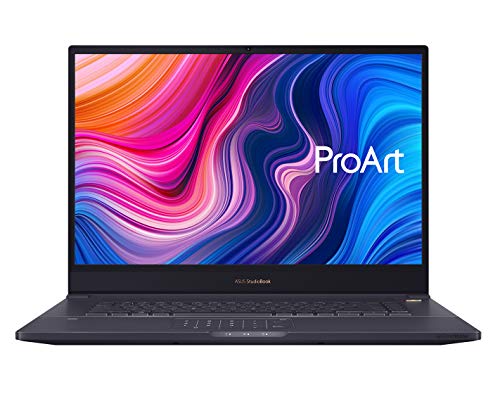
- 17.0'' WUXGA 16:10 ratio panel (1920*1200) NanoEdge matte display; 97% DCI-P3 wide color gamut; Pantone validated color accuracy; Delta E<2, 8-bits...
- Intel Core i7-9750H Processor (12M Cache, up to 4.5GHz) with Windows 10 Professional
- NVIDIA GeForce RTX 2060 with 6GB GDDR6 VRAM - RTX Studio Ready
- Ultra fast storage and memory featuring 512GB + 512GB PCIe NVMe M.2 SSD (RAID 0) and 32GB DDR4 Memory (upgradable up to 64GB)
Pros
-
16″ 3.2K 120Hz OLED, wide gamut
-
Fast SD card reader for ingest
-
Thunderbolt 4, HDMI, RJ-45 onboard
-
ASUS Dial speeds common edits
Cons
-
OLED can show reflections in bright rooms
-
Fans rise audibly on long exports
-
Battery is average for the class
Trade-offs / Who should skip
If you need the absolute fastest CUDA exports, a higher-TGP RTX gaming chassis may be quicker.
Scores: Performance 4/5 · Display & Color 5/5 · Ease of Use 4/5 · Value 4.5/5
Lenovo ThinkPad P1 Gen 7 — Best ISV-certified mobile workstation
A thin 16-inch workstation with RTX Ada options, a fast SD reader, and ISV certifications—designed for reliability.
Why it wins: ISV focus and stable drivers suit teams that value predictable behavior across apps and plugins.
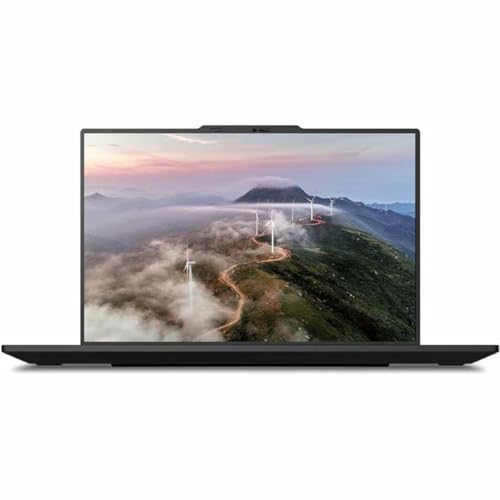
- With 32 GB LPDDR5X of memory, users can run many programs without losing execution
- 16" display with 3840 x 2400 resolution showcases movies, games and photos with impressive clarity
- 1 TB total SSD capacity for spacious storage with much faster data transfer speed than standard hard drives
- NVIDIA RTX 1000 Ada Generation 6 GB discrete graphic card provides excellent ability in a variety of multimedia applications and user experiences
Pros
-
ISV mindset; stable drivers
-
Fast SD card ingest
-
Up to 4K/OLED display options
-
Durable chassis, serviceable design
Cons
-
Lower-TGP GPUs than gaming rigs
-
Factory configs vary by seller
-
Speakers are merely adequate
Social proof
Praised by pros for reliability and ports. See reviews on Amazon.
Trade-offs / Who should skip
If you prioritize max GPU wattage for effects, a performance-tuned RTX “gaming” laptop will export faster.
Scores: Performance 4/5 · Display & Color 4.5/5 · Ease of Use 4.5/5 · Value 4/5
MacBook Pro 14-inch (M4 Pro) — Best portable macOS editor
Travel-friendly, with the same media-engine magic as the 16-inch and a calibrated XDR panel.
Why it wins: You still get the ProRes/H.264/HEVC hardware engines and creator I/O—Thunderbolt USB-C, HDMI, SDXC—in a lighter package.
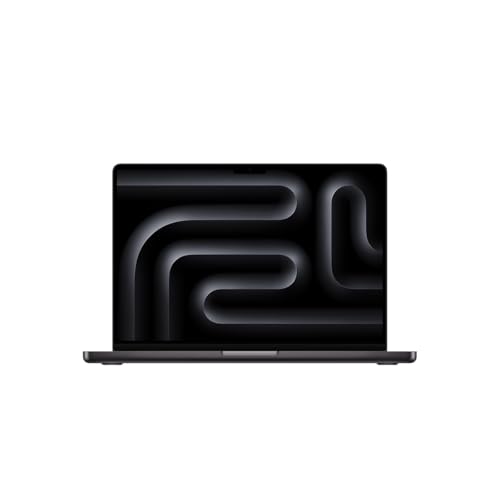
- INCREDIBLE SPEED - Experience seamless multitasking and swift performance with the new Apple M4 Pro chip, featuring up to a 14-core CPU and 20-core...
- STUNNING VISUALS - Immerse yourself in the 14.2-inch Liquid Retina XDR display, boasting extreme dynamic range, 1,000,000:1 contrast ratio, and up to...
- ALL-DAY BATTERY - Work and play on the go with up to 22 hours of video playback, powered by a 72.4-watt-hour lithium-polymer battery for lasting...
- EXPANSIVE STORAGE - Store all your important files and creative projects with up to 4TB SSD, ensuring lightning-fast access and ample space for your...
Pros
-
Pro media engines in a lighter body
-
14.2″ XDR panel with ProMotion
-
Thunderbolt USB-C, SDXC, HDMI onboard
-
Excellent battery efficiency
Cons
-
Smaller screen for full-time grading
-
Unified memory not upgradable
-
Less thermal headroom than 16″
Trade-offs / Who should skip
If you live in heavy multi-cam 8K with strong denoise, the 16-inch or an RTX 4090 laptop will sustain higher clocks.
Scores: Performance 4.5/5 · Display & Color 4.5/5 · Ease of Use 5/5 · Value 4/5
Quick compare
-
MacBook Pro 16 — Best overall: XDR, long battery, strong media engines; less flexible for CUDA-only plugins.
-
Razer Blade 16 — Best Windows power: RTX 4090 + OLED; louder and shorter battery under heavy loads.
-
ASUS ProArt 16 OLED — Best color & controls: fast SD ingest, ASUS Dial; fans ramp on exports.
-
ThinkPad P1 Gen 7 — Best ISV-certified: RTX Ada reliability; lower GPU TGP than gaming rigs.
-
MacBook Pro 14 — Best portable macOS: full media engines/ports; smaller canvas, less thermal headroom.
Buying guide
1) Pick your acceleration path
-
macOS (Final Cut/Resolve/Premiere): Apple Silicon’s media engines hardware-accelerate common codecs for fast, cool exports and smooth playback—great on battery.
-
Windows (Premiere/Resolve): NVIDIA Studio drivers + NVENC/NVDEC boost scrubbing and exports, especially with GPU-heavy effects (stabilization, noise reduction, color).
2) Display matters for grading
Mini-LED XDR (MacBook Pro) delivers high sustained brightness for HDR; OLED (ASUS ProArt/Razer) offers deep blacks and wide gamut for SDR/HDR review—mind reflections and ABL behavior in bright rooms.
3) Ingest speed = time saved
If you’re dumping large card loads, prefer laptops with fast SD readers (UHS-II or SD Express). Pair with fast external NVMe for caches/projects.
4) Memory & storage
Aim for 32GB+ RAM for 4K multicam; 64GB+ if you grade RAW or run After Effects alongside. Get at least 1TB NVMe internally and keep a fast external NVMe.
5) Ports & monitors
Editors benefit from Thunderbolt for fast storage/capture, HDMI 2.x for client monitors, and a reliable SD reader. If you drive HDR monitors, confirm the right HDMI/DisplayPort version.
6) Warranty & support stance
-
Apple: One-year limited warranty (extendable with AppleCare+).
-
Razer: Typically one-year limited laptop warranty; confirm in your region.
-
ASUS/Lenovo: Terms vary by model/region—check your serial on their sites.
FAQs
Q: Premiere Pro vs. Resolve—does NVIDIA still help on exports?
A: Yes. NVIDIA Studio + NVENC/NVDEC accelerates H.264/HEVC decode/encode and many GPU effects; you’ll often see faster exports on RTX systems—especially with heavy effects stacks.
Q: Are Apple’s media engines really that big a deal?
A: For ProRes and common delivery codecs, yes. Apple Silicon offloads decode/encode to dedicated blocks, which keeps performance high and fans quieter—great on battery.
Q: Is SD Express worth it?
A: If you shoot on supported SD Express cards, it can cut ingest times versus UHS-II. Otherwise, you’ll see UHS-II speeds. The card and the laptop both need SD Express support.
As an Amazon Associate, I earn from qualifying purchases.